Quick Summary & Key Takeaway
While a pristine ip quality score is mandatory to pass initial anti-bot gates during authentication, connection stability matters significantly more than raw ip quality after login. Once a session cookie is established, continuous network telemetry—such as severe packet loss, high jitter, and mid-session protocol timeouts—becomes the primary trigger for sudden logouts and automated account bans. For multi-accounting, data extraction, and social media management, securing a consistent, reliable session via high-tier proxy networks like OKKProxy is the ultimate key to operational longevity.
Introduction: The Post-Login Architecture Dilemma
In the world of proxy management, data scraping, and cross-border e-commerce, millions of dollars are poured annually into checking proxy cleanness. Digital marketers and data analysts obsess over metrics: Is the IP blacklisted? What is the fraud score? Is it residential or datacenter? Users rely heavily on an ip quality score checker or an automated ip quality score api to filter out high-risk assets before starting an operation.
However, a critical engineering blindspot exists: What happens after the login button is pressed?
Many practitioners assume that once they bypass the login gate, the battle is won. They believe that a “clean” IP will inherently protect their accounts from being flagged. This misconception leads to catastrophic multi-account bans, dropped scrapers, and lost shopping carts.
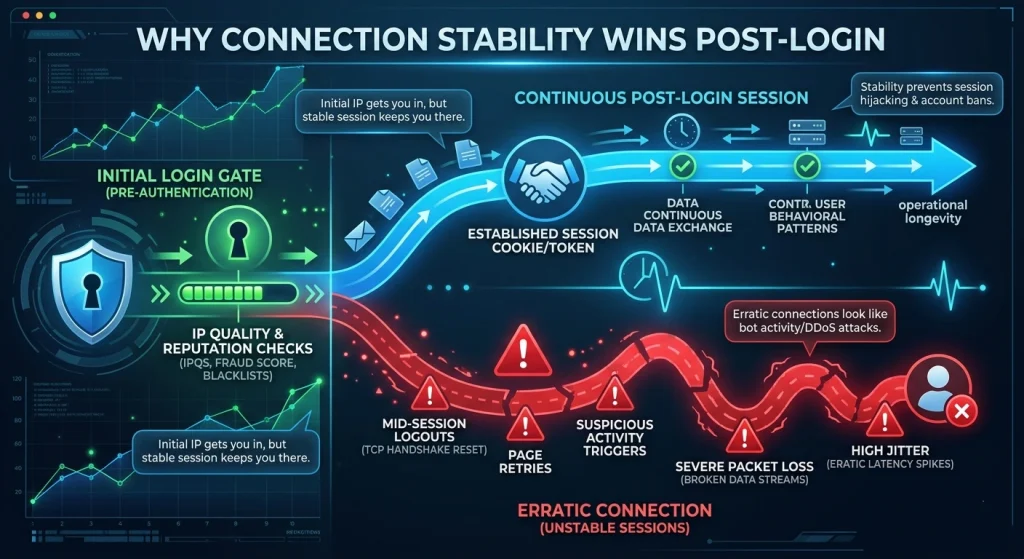
Through our extensive telemetry at OKKProxy, analyzing over 50 million monthly proxy sessions, we have discovered an immutable law of web scraping and session persistence: Initial IP reputation gets you through the door, but continuous session behavior dictates whether you stay there.
When comparing connection stability vs ip quality, web application firewalls (WAFs) drastically shift how they evaluate your traffic before authentication versus after authentication. This guide breaks down the technical tug-of-war between network stability and IP reputation, exposes why standard fraud prevention systems behave the way they do post-login, and provides an actionable blueprint for maintaining bulletproof session persistence using premium proxy architectures like rotating residential proxies and static ISP proxies.
Demystifying Connection Stability vs IP Quality
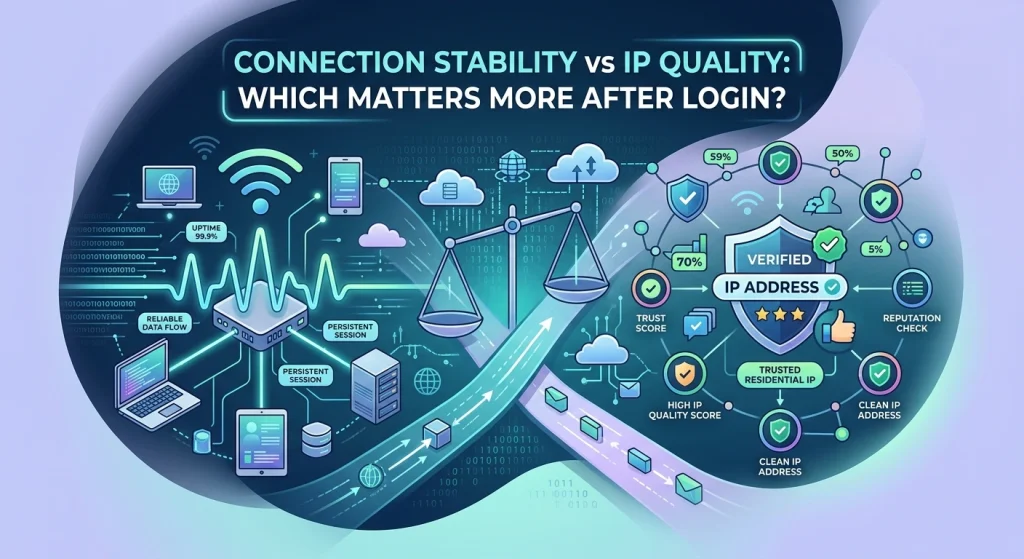
To understand why network behaviors shift post-login, we must establish a clear technical foundation. What do these metrics actually mean under the hood, and how do they impact your daily operations?
What Does Stable Connection Mean?
In enterprise network environments, a stable internet connection isn’t just about raw throughput (bandwidth). What does stable connection mean? It is defined as a network path that exhibits predictable latency, minimal packet loss, and low jitter over an extended duration.
What Determines the Overall Quality of a Stable Internet Service?
The quality of service (QoS) depends on three foundational metrics that tell target servers your connection is legitimate:
- Latency (Ping): The time taken for a data packet to travel from the client to the destination server and back.
- Jitter: The statistical variance in packet arrival times. High jitter means your ping is fluctuating erratically (e.g., jumping between 45ms and 320ms within seconds).
- Packet Loss: The percentage of data packets that fail to reach their destination, forcing TCP retransmissions and causing data gaps.
What is IPQualityScore and What is a Dirty IP Address?
An ip quality score (often evaluated via a specialized ip quality score checker) is a predictive metric used by anti-fraud systems to estimate the likelihood of malicious intent behind an IP address.
A what is a dirty ip address inquiry reveals that a dirty IP is one that has been flagged for historical abuse—such as spamming, credential stuffing, or botnet activity. When an IP has a high fraud score, web applications trigger CAPTCHAs, SMS verifications, or outright access denials. Systems often look at an ip quality lookup or an ip fraud score quality aggregator to make this split-second choice.
Why Connection Stability Wins Post-Login
1. The Trap of Session Drops and Forced Re-Authentication
When you authenticate into a platform (e.g., Amazon, Facebook, Google Ads), the server issues a session token or cookie. This token tells the server, “This user has already proven who they are; do not force them to log in again for subsequent requests.”
However, security algorithms do not stop monitoring you after authentication. If your network connection experiences a momentary drop, your proxy connection breaks. When the proxy reconnects, it may hand off to a different edge node, causing a sudden TCP handshake reset. To the destination platform, your session appeared to drop completely and instantly reappear with unnatural packet headers. To prevent session hijacking, the server immediately revokes the session token, forcing a logout.
2. Avoiding Suspicious Activity Triggers
Can connection stability matter more than raw ip quality after login? Absolutely. Consider how modern web security systems view erratic behavior.
A standard user on a slightly crowded residential connection might have an ordinary ip address quality profile, but their connection maintains steady TCP streams. Conversely, a bot using a premium, ultra-clean IP that suffers from severe packet loss will generate continuous page retries, broken AJAX requests, and rapid, interrupted connections.
To automated firewalls, sudden connection pauses and weird buffering look identical to a distributed denial-of-service (DDoS) attack or an automated scraper crashing. A highly erratic connection looks far more suspicious to security filters than a standard IP with a flawless, stable connection.
3. The Structural Danger of High Jitter
Many proxy operators focus solely on average ping. This is a fatal mistake. Wide fluctuations in ping—high jitter—degrade real-time session performance much faster than a slightly elevated but steady ping.
When jitter spikes, data packets arrive out of order. The browser or scraping script is forced to buffer, wait for retransmissions, and delay rendering. For highly sensitive anti-bot scripts (like Cloudflare Turnstile or Akamai), unexpected delays in executing client-side JavaScript challenges indicate that the environment is simulated or heavily throttled, resulting in a stealth ban.
Engineering Analysis — IP Quality Metrics vs. Network Stability
To understand the core technical differences between these two forces, look at how Pre-Login checks differ drastically from Post-Login verification metrics. This comparison table highlights why the choice of connection stability vs ip quality shifts completely after a successful login handshake.
| Metric Category | Pre-Login Relevance (Authentication Gate) | Post-Login Relevance (Session Maintenance) | Primary Tracking Mechanism |
| IP Fraud Score | Critical (10/10) | Low (3/10) | Static databases, ASN history, and DNSBL blacklists. |
| Packet Loss Rate | Low (2/10) | Critical (10/10) | TCP Keep-Alive signals, dropped ACK packets. |
| Jitter Variance | Moderate (4/10) | High (9/10) | Time-stamped delta analysis of incoming packets. |
| ISP / ASN Classification | High (9/10) | Moderate (5/10) | WHOIS data lookups, BGP routing records. |
Real-World Case Studies from OKKProxy’s Engineering Desk
To ground these concepts in reality, let us examine two real-world scenarios handled by the OKKProxy enterprise support team, illustrating how we balance connection stability vs ip quality for our enterprise clients.
Case Study 1: The E-Commerce Scaling Failure (The Cost of Poor Stability)
A large-scale ticket-broking and sneaker-botting agency approached OKKProxy with a major issue. They were purchasing ultra-premium, expensive rotating residential proxies from a competitor who promised a “0% IP Fraud Score.” Despite the flawless ip quality check ratings, over 42% of their accounts were getting flagged and logged out during checkout.
- The Diagnosis: We ran a network path analysis using continuous ping diagnostics. While the IPs were clean, the competitor’s proxy infrastructure suffered from massive Bufferbloat under heavy loads. Latency spiked from 80ms to over 1,400ms during payment processing. The e-commerce platforms flagged these extreme latency spikes as automated session tampering, terminating the connection mid-checkout.
- The Solution: We migrated the client to OKKProxy’s static ISP proxies. Because these proxies run over dedicated corporate network links with guaranteed low jitter, their post-login session stability stabilized completely. Checkout failure rates dropped from 42% to under 1.5%.
Case Study 2: High-Velocity Data Scraping (Overcoming the “Dirty IP” Myth)
A market intelligence firm was scraping financial data from highly protected banking portals. They were terrified of encountering a dirty ip address and regularly deployed automated scripts to check ip quality score every 60 seconds.
- The Experience: They discovered that even when they occasionally used a proxy with a moderate risk score, if the connection maintained an un-fragmented, steady connection stream, the session stayed active for hours.
- The Methodology: They transitioned to OKKProxy’s rotating datacenter proxies for non-authenticated scraping and rotating mobile proxies for authenticated sessions. By leveraging OKKProxy’s high-throughput backbones, they maintained persistent connections that bypassed advanced behavioral blocks completely.
How to Monitor and Fix Poor Post-Login Connection Stability
If your automated systems are experiencing high failure rates, follow this engineering checklist to isolate and resolve the root network issues.
Advanced Diagnostics: How to Fix Poor Internet Stability?
- Deploy Long-Duration Ping Testers: Do not rely on a single speed test. Use network monitoring suites like PingPlotter or automated command-line scripts to visually track packet loss across all hops over a 24-hour window.
- Test for Bufferbloat: Run network stress tests to see if data queues in your local router or proxy gateway are causing sudden spikes in latency under heavy network loads.
- Audit Your Local Hardware Infrastructure: Avoid Wi-Fi interference whenever possible. Utilize a physical, wired Ethernet connection to keep your local ping stable before it ever hits the proxy network wrapper.
The Developer’s Post-Login Checklist
- Verify that your proxy connection maintains a single TCP session loop during the entire checkout/scraping sequence.
- Configure your HTTP client connection pools to gracefully handle minor variations without instantly tearing down the socket.
- Implement an automated fallback that shifts tasks to static ISP proxies if real-time jitter exceeds 50ms.
- Utilize ip quality score free diagnostic layers to filter out catastrophic risks (e.g., peer-to-peer botnet nodes) before launching tasks.
Comprehensive FAQ
Why has my IP address been flagged as high risk?
An IP is flagged as high risk when public threat feeds detect suspicious traffic originating from its subnet. This could be due to open proxy ports, malware activity, or excessive automated registration attempts. You can analyze your current risk footprint using a free ip quality score lookup tool. For a detailed guide on how to clean your footprint, see the W3C standards on network security and Internet Engineering Task Force (IETF) RFC documentation regarding IP reputations.
What is the defining quality of a public ip address?
The defining quality of a public IP address is its globally unique identification capability across the WAN (Wide Area Network), allowing servers anywhere on Earth to route data back to that specific gateway.
What makes for a quality ip address?
A high-quality IP address features clean historical records (no spam listings), a highly trusted ASN designation (such as a major consumer ISP like Comcast or AT&T rather than a cheap hosting facility), and placement within a geographically accurate subnet layout.
Is ip quality score legit?
Yes, scoring platforms like IPQualityScore are standard industry tools used by financial networks, ad fraud systems, and enterprise e-commerce applications to proactively mitigate fraud risks.
How do I compare ip geolocation data quality across providers?
To effectively compare ip geolocation data quality across providers, test sample subnets against top-tier database providers (such as MaxMind, IPinfo, and BigDataCloud) to check for mapping accuracy and latency alignment.
Strategic Product Matrix: OKKProxy Solutions
Different operational tasks require different balances of IP reputation and network durability. Use this matrix to select the exact asset type for your projects:
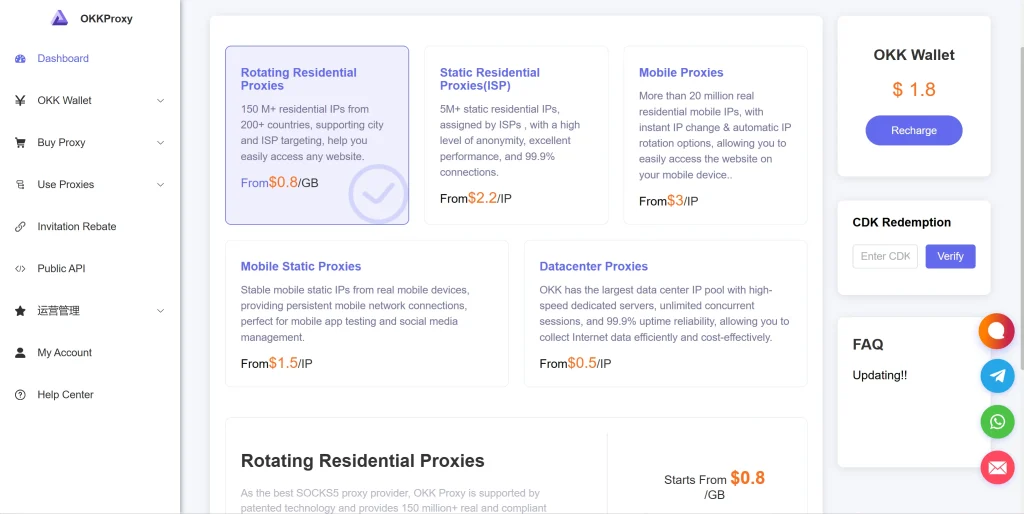
- Static ISP Proxies: The gold standard for post-login session persistence. These offer the flawless reputation of residential connections combined with the unbreakable stability of datacenter fiber lines. Perfect for managing high-value e-commerce and financial accounts.
- Rotating Residential Proxies: Ideal for large-scale data harvesting across strict web platforms. Automatically switches nodes while utilizing highly diversified IP pools to prevent rate-limit blocks.
- Rotating Mobile Proxies: Ultimate trust profiles using cellular CGNAT architecture. Virtually immune to standard IP fraud scoring bans because platforms fear blocking legitimate mobile towers.
- Static Mobile Proxies: Perfect for managing persistent social media channels (Instagram, TikTok) that require a stable, un-shifting cellular signature over several months.
- Rotating Datacenter Proxies: The high-speed, cost-effective engine for high-volume public data extraction that does not sit behind complex authentication walls.
Conclusion & Core Takeaway
In the digital space, initial impressions matter, but execution is everything. While checking your my ip quality score provides the baseline safety net needed to clear initial firewall barriers, connection stability vs ip quality remains the definitive balancing act that determines whether your sessions survive or get blacklisted after login.
If your automated operations are suffering from random logouts, frozen pages, or sudden account suspensions, look past the basic blacklist checkers. Investigate your network jitter, monitor packet loss, and migrate your critical workflows to a reliable, enterprise-grade infrastructure.
Ready to elevate your operational stability and secure seamless session lifetimes? Explore OKKProxy’s Professional Proxy Portfolio today and deploy the industry’s most stable, high-performance static and rotating proxy nodes.
Internal References & Recommended Reading
To expand your engineering knowledge on network configuration and proxy optimization, explore these comprehensive guides from the OKKProxy Knowledge Base:
- Proxies Pass Login? Fix 4 Secrets Why Settings Fail!
- Static Proxy vs Rotating Proxy: Which One Should You Choose?
- 15 High-Profit Web Scraping Projects Worth Doing in 2026
- “Why Did My Proxy IP Die Instantly?” — A Deep Dive into ‘IP Purity’ & OkkProxy’s Static ISP Solution
- Shared Proxies vs Dedicated Proxies: 5 Critical Differences Explained