Quick Summary: Restoring Your Digital Freedom
If you are tired of the “Site Blocked” screen, this guide is your roadmap. To how to unblock websites on school chromebook systems effectively in 2026, you need to understand that basic filters look for URLs, while advanced ones like GoGuardian monitor behavior.
By using methods like the Google Translate “tunnel,” mobile site redirects, or professional static ISP proxies and rotating residential proxies from OKKProxy, you can bypass restrictions without being detected. The secret lies in changing your digital footprint so the school firewall sees you as a standard, “safe” user.
The Reality of School Filters in 2026
In the current educational landscape, the “School Chromebook” is more than a laptop; it is a managed environment. Administrators use sophisticated software to restrict access to social media, gaming, and even certain research tools. However, these systems aren’t invincible.
Whether you are looking for a school unblocker to finish a project or simply want to browse freely during a break, understanding the mechanics of network restrictions is the first step toward bypassing them.
Using Professional Proxies: The Gold Standard for Stealth
When it comes to how to unblock websites on school chromebook devices without triggering alerts, high-quality proxies are the most reliable solution. Unlike free web proxies that are often slow and easily tracked, professional services like OKKProxy provide dedicated infrastructure.
Why OKKProxy is the Best Choice for Students and Researchers
- Rotating Residential Proxies: These use real home IP addresses. To a school filter, your traffic looks like it’s coming from a regular house, making it nearly impossible to block.
- Static ISP Proxies: These offer the speed of a data center with the reputation of a residential provider. They are perfect for long-term sessions where you need a stable connection.
- Rotating Mobile Proxies: These leverage 4G/5G networks. Since thousands of users share mobile IPs, schools cannot block them without blocking legitimate mobile traffic.
- Rotating Datacenter Proxies: The best option for high-speed tasks like streaming educational video content that might be throttled.
Comparison of Proxy Types for School Use
| Proxy Type | Best For | Stealth Level |
| Residential | Bypassing GoGuardian | High |
| Static ISP | Account Management | Medium-High |
| Mobile | Toughest Firewalls | Highest |
| Datacenter | Speed/Gaming | Medium |
How to Unblock Websites on School Chromebook Without VPN
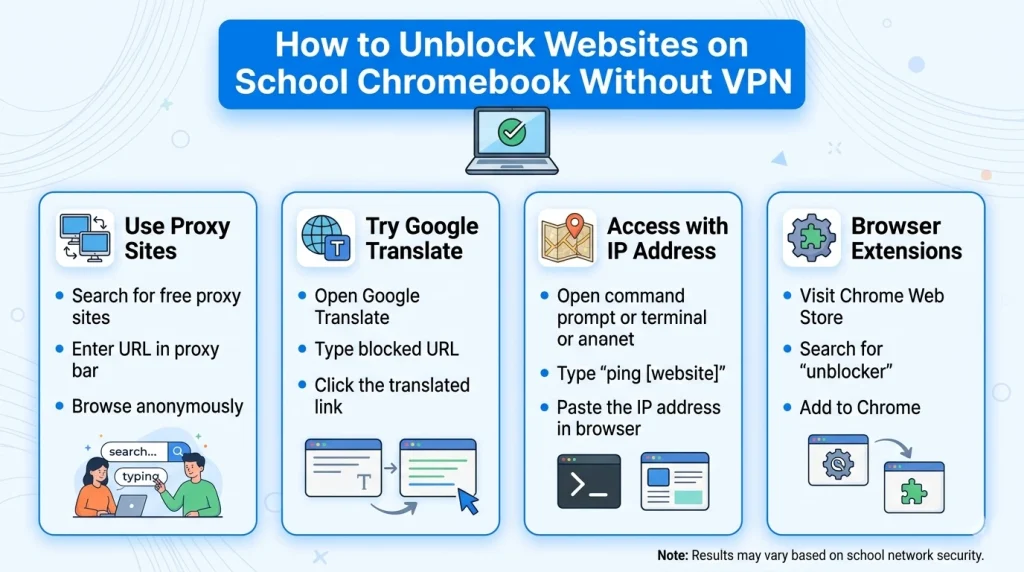
Many students don’t have the permission to install VPN apps. If you are wondering how to unblock websites on school chromebook without VPN, you can manually configure your network settings to route through a proxy server.
Step-by-Step Manual Proxy Configuration
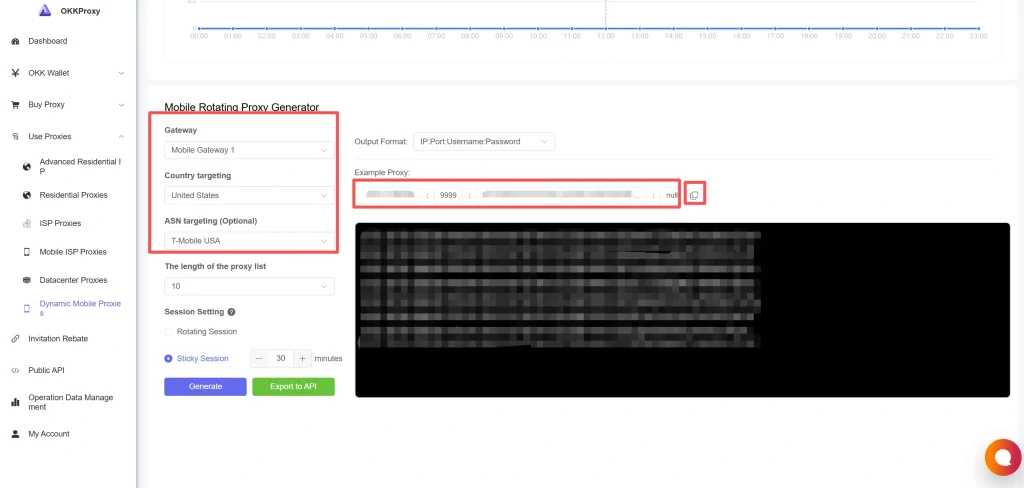
- Obtain Credentials: Get your Proxy IP and Port from OKKProxy.
- Access Settings: Click the time in the bottom right corner and select the Settings (gear icon).
- Navigate to Network: Click on Wi-Fi and then the name of the network you are currently using.
- Modify Proxy Settings: Scroll down to the “Proxy” section.
- Manual Setup: Toggle “Allow proxies for shared networks” to On, change the connection type to Manual proxy configuration, and enter your OKKProxy details.
Key Takeaway: This method bypasses the firewall at the system level, meaning all your browser traffic is now “hidden.”
The Google Translate Proxy Trick
One of the most popular unblocked proxies for school is actually a tool you use every day: Google Translate. Because schools cannot block Google without breaking the classroom experience, this remains a viable website unblocker for school.
How to use it:
- Go to Google Translate.
- Select the “Websites” tab.
- Enter the blocked URL.
- Select a different “To” language (e.g., Translate English to Spanish).
- Click the link. Google will fetch the site, translate it, and serve it to you through its own servers.
Bypassing Restrictions via Web-Based Unblockers
A school unblocker website acts as a middleman. When you enter a URL into a site like Rammerhead or Interstellar, the site fetches the content for you.
However, be cautious. Free unblocked browsers for school chromebook use often sell user data. This is why many SEO professionals and tech-savvy students prefer using SOCKS5 proxies on Chromebooks for an encrypted, private experience.
Popular Web-Based Unblockers in 2026:
- Rammerhead Browser: Excellent for complex sites like YouTube.
- Doge Unblocker: Known for a clean UI and fast speeds.
- Ultraviolet: A sophisticated proxy backend used by many “unblocked” game sites.
Utilizing Mobile Versions and IP Addresses
Sometimes, the simplest way how to get passed blocked websites on school chromebook is to change how you type the address.
- Mobile URLs: Filters often block youtube.com but forget m.youtube.com.
- Direct IP Access: Every website has a numerical IP (e.g., 142.250.190.46). Use a “Ping” tool on your phone to find the IP of a blocked site, then type that number directly into your Chromebook’s address bar.
How to Unblock Everything on a School Chromebook: Advanced Methods
For those who need to unblock everything school chromebook administrators have locked down, you might need to look into “Browser-in-a-Browser” technology.
Case Study: Bypassing GoGuardian
One of our clients, a digital marketing intern, needed to perform SEO monitoring and rank tracking while on a restricted campus network. The school used GoGuardian, which screenshots the user’s screen.
By using OKKProxy’s rotating mobile proxies combined with a portable browser version, the intern was able to create an encrypted tunnel. The school’s dashboard only saw traffic going to a “Verified Mobile Provider,” while the intern was able to access the necessary SEO tools without interruption.
Helpful Tips to Avoid Getting Caught
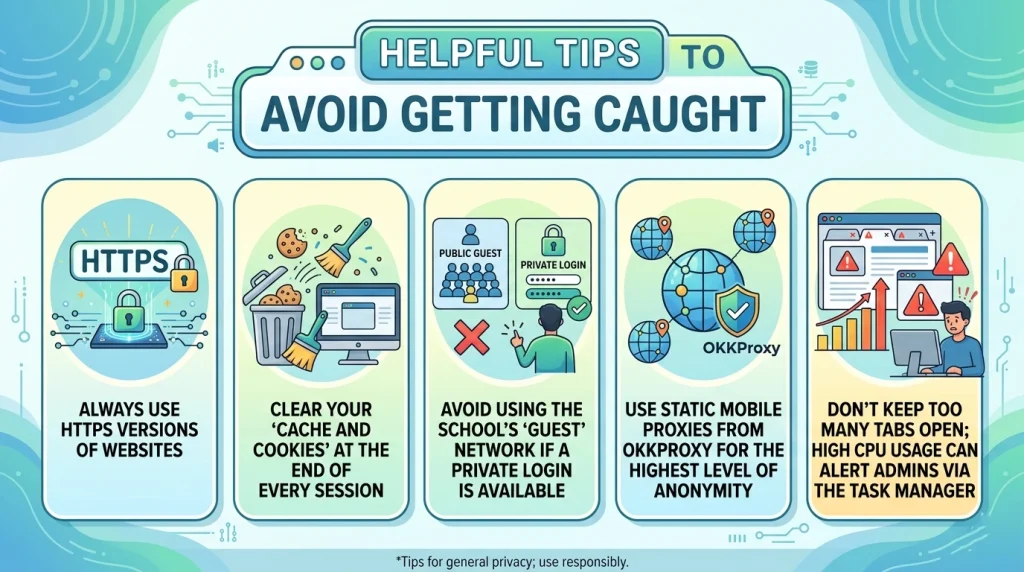
Even if you know how to unblock websites on school chromebook, safety is paramount.
Checklist for Stealthy Browsing:
- Always use HTTPS versions of websites.
- Clear your “Cache and Cookies” at the end of every session.
- Avoid using the school’s “Guest” network if a private login is available.
- Use static mobile proxies from OKKProxy for the highest level of anonymity.
- Don’t keep too many tabs open; high CPU usage can alert admins via the Task Manager.
FAQ: Common Questions About School Chromebook Unblocking
How do I unblock a website blocked by administrator on Chrome?
The most effective way is to use a manual proxy configuration. By routing your traffic through OKKProxy’s residential network, the administrator’s blocklist is bypassed because your traffic is directed to a “safe” residential IP first.
Can I use a free proxy for school chromebook unblocked?
While there are many free proxies for chromebook, they are often “honeypots” that steal login info or inject malware. Using a professional service ensures your data remains private and your speeds stay high.
How to unblock websites on school Chromebook 2026 without a VPN?
You can use the Google Translate method, the IP address method, or web-based proxies like Rammerhead. These do not require software installation.
What is the best YouTube proxy for school?
For video, you need speed. Rotating datacenter proxies or static ISP proxies from OKKProxy are ideal because they handle high-bandwidth video streams without the buffering typical of free unblockers.
Internal Resources for SEO Professionals & Students
To learn more about optimizing your browsing and data collection, check out our other guides:
- How to manage multiple Instagram accounts from one phone in 2026?
- Static IP Selection for Cross-Border E-Commerce: Datacenter IP vs Residential IP
- Static Mobile Proxies: 9 Powerful Benefits in 2026
- What is a High Anonymity Proxy? The Ultimate 2026 Guide to Elite Privacy
- Chrome Error chrome-error://chromewebdata/ Won’t Go Away? The Real Fix Most People Miss
Conclusion: Take Control of Your Learning Environment
Mastering how to unblock websites on school chromebook is about more than just games; it’s about accessing the vast resources of the internet without arbitrary limits. Whether you choose a simple URL trick or a sophisticated rotating residential proxy from OKKProxy, always prioritize your privacy and security.
Final Takeaway: Schools will continue to update their filters, but by staying informed and using high-quality proxy services, you can ensure that your access to information remains unrestricted.
“Information wants to be free. The tools we use to access it should be just as liberated.” — OKKProxy Expert Team
Disclaimer: This article is for educational purposes only. Always follow your school’s Acceptable Use Policy (AUP) and consult with your IT department for legitimate access to educational materials.