The real weak point in multi-account setups is usually the browser layer, not the proxy layer. Even with different proxies, accounts can still look connected if they are running through the same browser state.
Incogniton solves that by giving each account its own isolated browser profile, so the proxy handles the network route while Incogniton handles the identity layer.
Start with one account
The discipline that makes multi-account work sustainable is simple: one account, one browser profile, one proxy. Anything looser creates problems that compound quietly over time. The tricky part is not understanding the rule. It is maintaining it as the number of accounts grows.
How Incogniton changes the workflow
At two accounts, you can get away without a dedicated tool. Two devices, two browsers, everything separate. It is inconvenient but manageable.
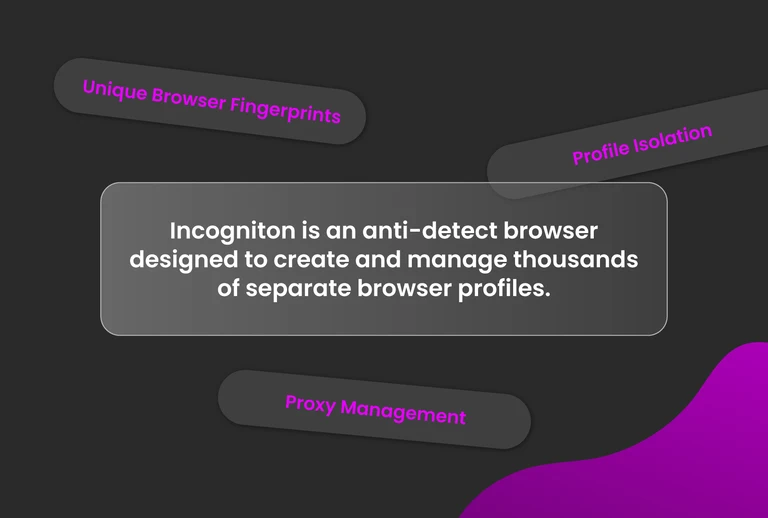
Past three or four, that model stops being feasible. Buying and maintaining a separate device per account does not scale, so most people consolidate onto fewer machines. Accounts start sharing browser environments, and the separation collapses.
Incogniton replaces the device-per-account workaround with isolated browser profiles. Each one keeps its own cookies, local storage, session data, and fingerprint settings.
From the platform’s perspective, every profile looks like a distinct device, regardless of how many are running on the same machine. Close a profile and reopen it later, and it picks up exactly where it left off, with the same fingerprint, session history, and stored state.
That persistence matters as much as the isolation. Each login adds to the same stored history instead of starting from zero, so accounts build continuity over time rather than looking inconsistent across sessions.
Adding proxies the right way
Once profiles handle the browser identity, the proxy slots in on top. Incogniton assigns proxies at the profile level, so each profile holds its own configuration and the account-to-proxy mapping stays explicit. Open a profile and it connects through the same proxy every time, with no manual switching between sessions.
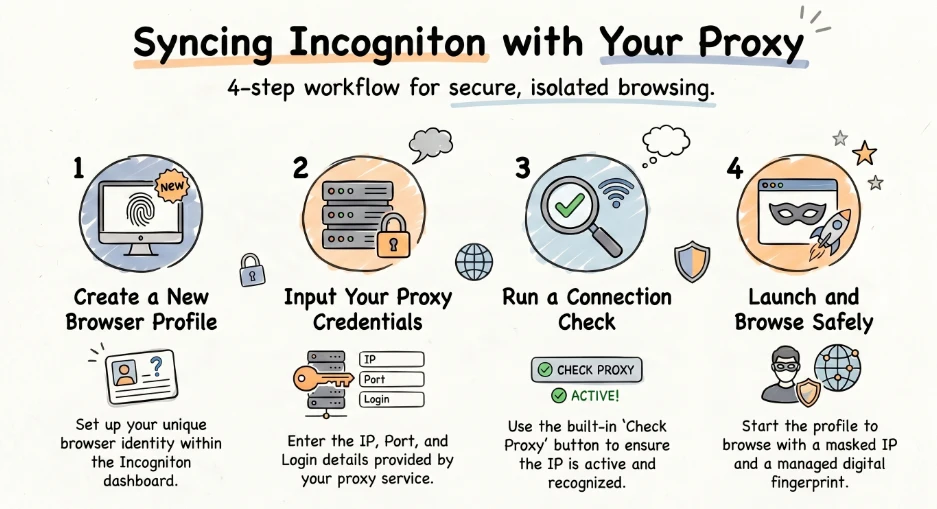
For the proxy itself, you have three options: a third-party provider like OkkProxy, Incogniton’s built-in Proxy Shop, or unblocked proxies for lighter tasks that do not require a dedicated IP.
Getting started
Step 1: Set up your Incogniton account
Download and install Incogniton from the official site, then sign into your account. If you do not have one yet, register before opening the app.
Step 2: Get your OkkProxy credentials
Log into your OkkProxy dashboard and copy the connection details for the proxy you want to use: your hostname or IP address, port, protocol (HTTP/HTTPS or SOCKS5), username, and password.
Step 3: Create a browser profile
In Incogniton, open Profile Management and create your new profile. Name it after the account it will hold so your mapping stays clear as you scale.
Step 4: Add the proxy to your profile
Open your profile’s Proxy section and enter your OkkProxy details. Run Check Proxy to confirm your connection is live and returning the correct location, then save your profile.
Step 5: Launch and verify
Start your profile and open an IP-checking service inside the browser window to confirm the expected IP and location. Once verified, your profile is ready: isolated browser state, dedicated proxy, configured once and reused every session.
Advanced: Running several accounts without losing control
The setup works well at a few accounts. Past 10 or 20, the problem shifts from getting separation right to keeping it consistent. A misconfigured proxy or someone opening the wrong profile can connect accounts that were supposed to stay apart, and the cost of those mistakes scales with volume. Incogniton’s automation and team features are built for this.
Automation
Incogniton’s automation API provides Python and TypeScript SDKs for running Playwright, Puppeteer, and Selenium inside your profiles. Scripts run inside the same isolated profiles you use manually, so automated tasks like account warming, scheduled logins, and scraping routines keep the same separation as everything else.
Team access
Incogniton supports up to 25 members with role-based access control, and profile data syncs through encrypted cloud storage across devices. That makes shared account work easier to coordinate and reduces one of the most common multi-account mistakes: linking accounts because someone logged into the wrong session.
Final verdict
Incogniton is built for people who manage multiple accounts as part of their work. If you run one or two on the side, a clean browser and a single proxy handle the job.
For affiliate marketers, agencies, and scrapers operating at volume, isolated profiles remove the browser-layer overlap that links accounts even when proxies are clean, and per-profile proxy assignment means OkkProxy plugs in without leaking between sessions.
A proxy alone solves the network problem. Pairing OkkProxy with Incogniton closes the browser-identity gap too. That is the difference between a setup that works for a week and one that holds up over months.