In 2026, Instagram remains one of the most powerful social media platforms for personal branding, business growth, and community engagement. For a social media manager juggling client profiles, a content creator overseeing niche pages, or a business owner keeping personal and professional accounts separate, it is not so easy to manage multiple Instagram accounts from a single phone—thanks to Instagram’s built-in features and powerful third-party tools.
However, with Instagram’s evolving anti-spam algorithms, simply switching accounts isn’t always enough for seamless, risk-free management.
This comprehensive guide covers everything you need to know about managing multiple Instagram accounts on one phone in 2026, including official limits, step-by-step instructions, best practices, and advanced strategies using proxies to avoid Instagram bans.
Why Manage Multiple Instagram Accounts?

Many users opt for multiple profiles to:
- Separate personal and business content
- Target different audiences (e.g., regional or niche-specific)
- Manage client accounts as an agency or freelancer
- Test content strategies without risking a main profile
Running multiple accounts can boost engagement and growth, but it requires careful management to comply with Instagram’s terms and avoid detection.
Instagram’s Official Limits for Multiple Accounts in 2026
Instagram allows unlimited account creation overall, but there are practical limits on one device:
- Up to 5 accounts can be linked and switched seamlessly in the official Instagram app on a single phone without logging out.
- You can create more accounts, but they’ll require separate logins or additional tools.
- Each account needs a unique email or phone number (though up to 5 can share one initially via Meta Accounts Center).
Exceeding these can trigger security checks, reduced reach, or temporary restrictions if not handled properly.
Comparison of Account Limits
| Feature | Official Instagram App Limit | With Third-Party Tools/Proxies |
| Accounts per Device | 5 (seamless switching) | Unlimited (with isolation) |
| Accounts per Email/Phone | Up to 5 | Unlimited (unique credentials) |
| Simultaneous Logins | 5 | Dozens/Hundreds |
| Risk of Linking/Bans | Higher beyond 5 | Minimal with proper setup |
How to Add Multiple Accounts in the Instagram App
Instagram’s built-in feature makes adding accounts straightforward.
Step-by-Step: Adding a New or Existing Account
- Open the Instagram app on your phone.
- Go to your Profile (bottom right icon).
- Tap the Menu (three lines in the top right).
- Select Settings and privacy > Scroll to Accounts Center or Add account.
- Choose Log into existing account or Create new account.
- Enter credentials or follow prompts to set up a new profile.
Quick Switching Between Accounts
- From your profile, tap your username at the top—a dropdown shows all linked accounts.
- Or, long-press your profile picture in the bottom bar for instant switching.
Key Notes:
- Notifications only show for the active account—switch to check others.
- Push notifications can be customized per account in settings.
This method is free and simple for casual users managing 2-5 accounts.
Limitations of the Built-In Method
While convenient, the native app has drawbacks:
- Notification Overload: Constant alerts from multiple accounts.
- No Advanced Scheduling: Limited to basic posting.
- Risk of Account Linking: All accounts share the same device fingerprint and IP, potentially flagging them as connected.
- Action Limits: Aggressive activity (e.g., mass likes/follows) from one device/IP can lead to temporary blocks.
For professionals managing more than 5 accounts or automating tasks, advanced solutions are essential.
Advanced Management: Using Proxies for Safe Scaling
In 2026, Instagram’s AI detection is more sophisticated, tracking IP addresses, device fingerprints, and behavior patterns. To manage multiple accounts safely from one phone—especially beyond the 5-account limit—proxies are crucial.
A proxy for Instagram routes your traffic through a different IP, making each account appear as if it’s accessed from a unique device/location.
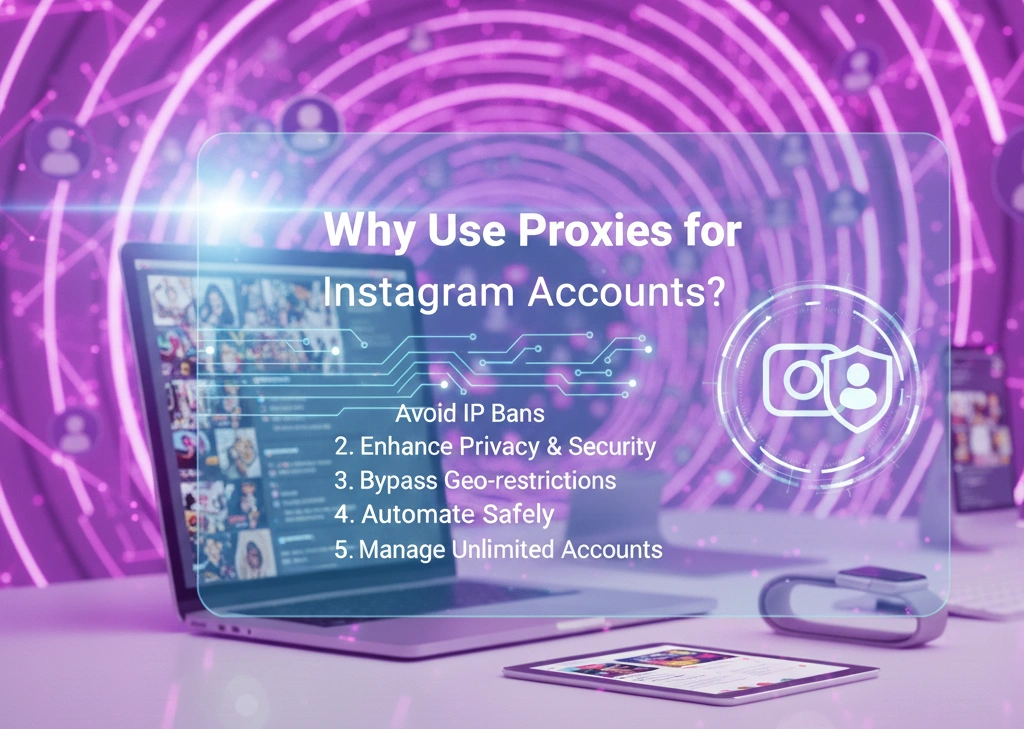
Why Use Proxies for Multiple Instagram Accounts?
- Prevent IP-based bans or restrictions.
- Avoid account linkage.
- Enable geo-targeted content (e.g., local trends).
- Support safe automation and higher action volumes.
Best Types of Proxies for Instagram
- Residential Proxies for Instagram: IPs from real homes—highly trusted, low ban risk.
- Mobile Proxies: Mimic real phone connections (e.g., 4G/5G)—ideal for phone-based management, as they match mobile behavior perfectly.
- Avoid datacenter proxies—they’re easily detected.
| Proxy Type | Best For | Trust Level | Cost | Recommendation for 2026 |
| Mobile Proxies | Phone management, high authenticity | Highest | Higher | Top choice (e.g., static mobile proxy) |
| Residential Proxies | General multi-account scaling | High | Medium | Great for rotation |
| Datacenter Proxies | Basic tasks (not recommended) | Low | Low | Avoid for Instagram |
Recommended Proxy Solutions: OkkProxy
For reliable proxies for Instagram, OkkProxy stands out in 2026 with its extensive pool of over 90 million residential and mobile IPs. They offer:
- Static mobile proxy options for consistent sessions.
- Rotating residential proxies for dynamic IP changes.
- High-speed mobile proxies tailored for social media, including proxy for Android mobile and proxy mobile Android setups.
- Affordable plans with geo-targeting—perfect for proxy mobile IP needs.

OkkProxy’s services help bypass restrictions safely, making them one of the best Instagram proxies for managing multiple accounts without detection. Whether you need a proxy server for Instagram or Instagram unblock proxy, their clean IPs ensure smooth performance.
Many users also explore Instagram proxy free options, but paid services like OkkProxy provide better reliability and avoid shared, flagged IPs.
Setting Up Proxies on Your Phone for Instagram
Android phones offer built-in proxy support:
- Go to Settings > Network & Internet > VPN or Proxy.
- Configure HTTP/SOCKS5 proxy details from your provider (e.g., OkkProxy dashboard).
- Apply per app (Instagram) for targeted use.
For iOS, use third-party apps or configuration profiles.
Combine with app cloners (e.g., Parallel Space) for isolated Instagram instances.
Best Practices for Safe Multi-Account Management in 2026
- Warm up new accounts gradually (low activity first).
- Use unique profiles/photos per account.
- Vary posting times and content styles.
- Enable two-factor authentication.
- Monitor for warnings and appeal promptly.
Tools to Enhance Management
- Scheduling Apps: Hootsuite, Buffer, or Later for cross-posting.
- Analytics Tools: Instagram Insights or third-party dashboards.
- Proxy Integration: Pair with OkkProxy for seamless phone proxies and proxy for mobile phone.
FAQs
How many Instagram accounts can I have on one phone in 2026?
Officially, up to 5 seamless. Unlimited with proxies and tools.
Is using proxies for Instagram safe?
Yes, with reputable providers like OkkProxy’s residential proxies for Instagram—they mimic real users.
Can I use a free Instagram proxy?
Possible, but risky—opt for paid best proxies for Instagram to avoid bans.
What’s the best proxy for Android mobile Instagram management?
Mobile proxies from OkkProxy, including proxy mobile Android and static mobile proxy.
Do multiple accounts reduce reach?
Only if linked—proxies prevent this.
Managing multiple Instagram accounts from one phone in 2026 is efficient and scalable with the right approach. Start with Instagram’s built-in tools for basics, then level up with proxies like those from OkkProxy for professional, ban-free growth.
