Quick Answer: How to Configure a Proxy Browser Extension (2026)
To set up a proxy extension like ZeroOmega or FoxyProxy, follow these 4 simple steps:
- Install the Extension: Add a modern proxy manager (e.g., ZeroOmega) from the Chrome Web Store or Firefox Add-ons.
- Add a Proxy Profile: Open the extension options and select “New Profile.” Enter your proxy protocol (HTTP or SOCKS5), the Server IP/Hostname, and the Port.
- Enter Credentials: Input your username and password provided by your proxy service (like OkkProxy).
- Activate & Test: Click the extension icon, select your new profile, and visit an IP checker to confirm your location has changed.
In 2026, proxy browser extensions like Proxy SwitchyOmega (and its active forks) remain indispensable for managing online privacy, bypassing restrictions, and handling professional tasks like web scraping or multi-account operations. Whether you’re new to concepts like what is a proxy or an experienced user needing advanced routing, these tools let you control proxy servers directly in your browser without system-wide changes. I’ve configured them extensively for years—unblocking YouTube with youtube proxy setups, accessing restricted content via school proxy methods, or scaling data collection with reliable IPs.
This hands-on guide, based on my real-world testing in 2025, covers everything from basics (what is a proxy server) to step-by-step configuration, alternatives, and best practices. We’ll focus on modern forks since the original SwitchyOmega faces compatibility issues. My key takeaway: while extensions are powerful, pairing them with premium residential proxies—like OKKProxy’s 100M+ ethical IP pool, 0.3s response times, and unlimited bandwidth—delivers undetectable, high-performance results for scraping, ad verification, or geo-spoofing.
What Is a Proxy and Why Use Browser Extensions?
A proxy server is an intermediary that routes your internet traffic, masking your real IP for privacy or access. Proxy meaning: a middleman for anonymized connections. (What is a reverse proxy? Server-side only—irrelevant here.)

Browser extensions simplify this by applying proxies per-tab or per-site, outperforming manual settings.
Proxy Types Overview
| Type | Use Case | Detection Risk | Speed |
| Datacenter | Speed-focused tasks | High | Very Fast |
| Residential | Scraping, accounts | Low | Fast |
| Mobile | Maximum anonymity | Very Low | Moderate |
| HTTP/HTTPS | Web browsing | Medium | Fast |
| SOCKS5 | Versatile (all traffic) | Low | Moderate |
Residential proxies are the best proxy for avoiding bans in 2026.
The Convenience of a Proxy Browser Online Using a proxy browser online configuration through an extension offers a significant advantage over system-wide VPNs: flexibility. Instead of rerouting every application on your device, an online proxy extension allows you to isolate your anonymous browsing to a single window. This is particularly useful for users who need to maintain their local connection for work apps while simultaneously accessing geo-restricted content or performing market research in a secure, siloed environment.
Top Proxy Browser Extensions in 2026
| Extension | Support | Features | Cost | Rating |
| ZeroOmega (SwitchyOmega fork) | Chrome/Firefox | Auto-rules, PAC | Free | 9.5 |
| FoxyProxy | All major | Patterns, profiles | Free/Paid | 9.0 |
| Proxy Switcher & Manager | Chrome | Toolbar, logs | Free | 8.5 |
| Proxyverse | Chrome | Header mods | Free | 8.5 |
Step-by-Step Configuration
1. Install the Extension
Search “ZeroOmega” or “FoxyProxy” in your browser’s store and pin the icon.
2. Add Proxy Profile
Icon > Options > New Profile
- Protocol: HTTP/SOCKS5
- Server: IP/hostname
- Port & credentials
3. Enable and Test
Toggle on; visit an IP checker.
4. Advanced: Auto-Switch Rules
Set rules for specific domains (e.g., proxy for .youtube.com).
5. Pair with Quality Proxies
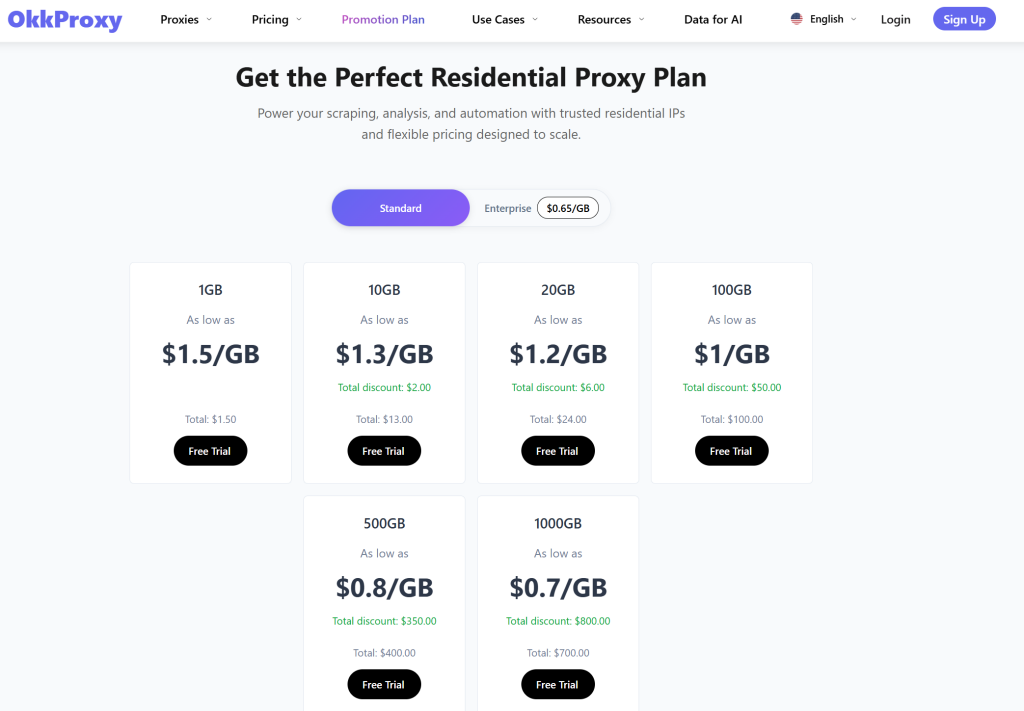
Use premium services. OKKProxy’s dynamic residential proxies integrate perfectly—massive pool, rotation, city targeting, unlimited bandwidth.
Troubleshooting & Best Practices
- Leaks: Disable WebRTC.
- Slow? Choose nearby residential IPs.
- Security: Avoid free web proxy lists.
Optimizing for Seamless Online Proxy Access To get the most out of your proxy browser online setup, it is crucial to understand the difference between a simple web proxy and a dedicated browser extension. While a standard web proxy site might be sufficient for a single page view, a configured extension provides a persistent, encrypted tunnel for all your browser tabs. By selecting a high-speed residential IP from OKKProxy, your online proxy performance will mirror a local connection, eliminating the lag often associated with lower-tier browser-based tools.
Security Considerations for Online Browsing
When searching for a proxy browser online, security should be your top priority. Many free “plug-and-play” extensions may log your data or leak your real IP via WebRTC. To ensure truly private online proxy usage, always pair your browser extension with a reputable provider that offers SOCKS5 support and a strict no-logs policy. This combination ensures that your digital footprint remains invisible to trackers and ISPs alike, providing a professional-grade layer of security for any task.
FAQs
What is a browser proxy extension?
A tool for per-browser proxy management.
Best proxy extension for Chrome?
ZeroOmega.
Proxy vs VPN browser extension?
Proxies: lighter; VPNs: encrypted.
How to uninstall?
Extensions > Remove.
Configuring these extensions is quick and transformative—especially with reliable residential proxies like OKKProxy’s for professional-grade performance. Prefer seeing it in action? Dive into this detailed video tutorial on setting up proxy extensions in 2026: View Now