Summary
Automating IRCTC Tatkal ticket booking in 2026 requires a multi-layered strategy: combining browser extensions, Selenium-based scripts, and high-performance static ISP proxies or rotating residential proxies.
By pre-configuring the IRCTC Master List, utilizing “Autopay” features like iPay, and routing traffic through local Indian IPs via OkkProxy, users can bypass the “session expired” errors and rate-limiting that plague manual bookings. This guide provides a verified methodology to reduce booking time from minutes to seconds, ensuring you beat the rush every time.
How to Automate IRCTC Ticket Booking in 2026 and Beat Tatkal Rush
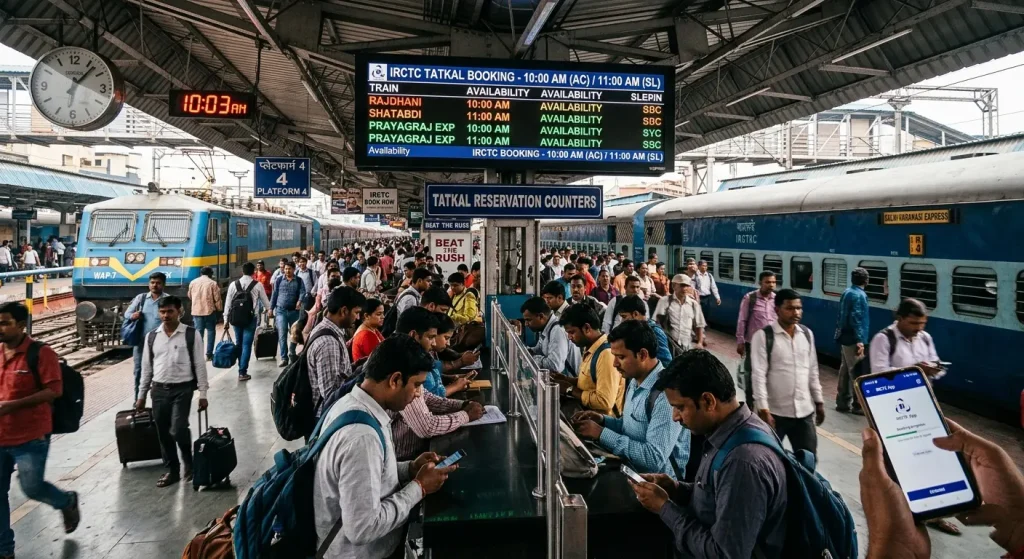
Booking a train ticket in India, especially during the dreaded Tatkal window (10:00 AM for AC and 11:00 AM for Sleeper), is often described as a digital “Hunger Games.” In 2026, with millions of users hitting the servers simultaneously, manual speed is no longer enough. The secret to success lies in learning how to automate IRCTC ticket booking using advanced scripts and the right network infrastructure.
In this guide, we explore the technical nuances of automation using Selenium, browser extensions, and the critical role of elite proxy services like OkkProxy in ensuring your connection remains uninterrupted.
Understanding the Tatkal Challenge: Why Manual Speed Fails
The IRCTC website handles millions of requests per second during peak hours. If your IP address is flagged for too many refreshes, or if your latency is high because you are accessing the site from a distant location, you will face the “Logout” screen before you even see the seat availability.
To succeed, you must understand how to make fast ticket booking in IRCTC. This involves more than just typing quickly; it requires bypassing the “bottle-neck” phases of the website’s architecture.
The Role of the IRCTC Tatkal Automation Tool
An irctc tatkal automation tool functions by pre-loading your data and injecting it into the website’s DOM (Document Object Model) the moment the fields become active.
- Speed: Manual entry takes 30-60 seconds; automation takes 3-5 seconds.
- Precision: No typos in passenger names or ID numbers.
- Bypassing Congestion: Using rotating residential proxies allows you to maintain a fresh session even if the server starts rate-limiting specific IP ranges.
Can We Automate IRCTC Ticket Booking?
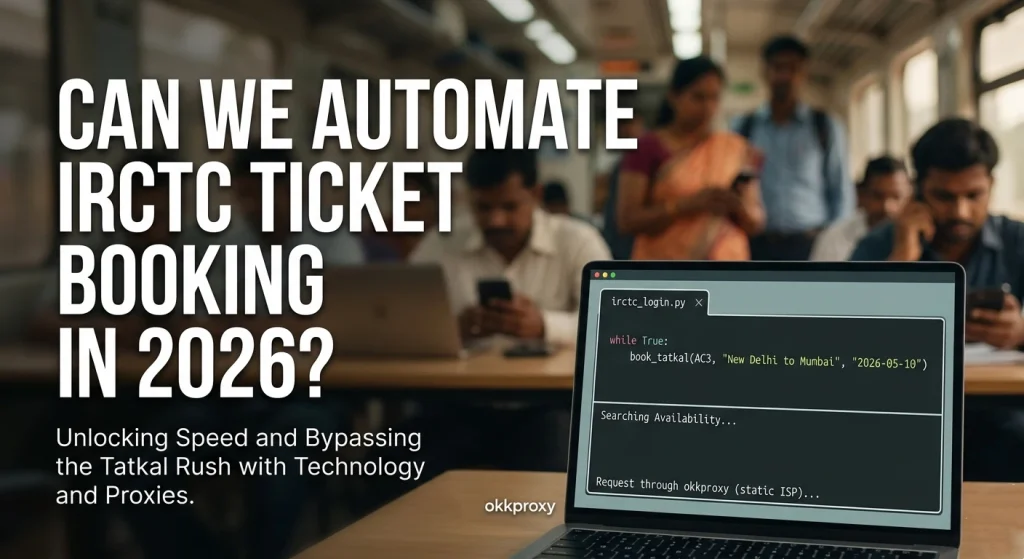
The short answer is yes, but the implementation has evolved. By 2026, IRCTC has implemented sophisticated anti-bot measures, including dynamic CAPTCHAs and behavioral analysis. To succeed, your automation must mimic human behavior while maintaining machine speed.
Automation Success Matrix
| Method | Complexity | Success Rate | Best For |
| Autofill Extensions | Low | Medium | Individual travelers |
| Selenium/Python Scripts | High | Very High | Power users & Techies |
| Master List Integration | Zero | Low (Manual) | Casual users |
For those looking for the ultimate edge, mastering how to automate IRCTC ticket booking using Selenium is the gold standard. It allows for headless browsing and precise timing that extensions sometimes miss.
Step-by-Step: How to Use IRCTC Autofill Extension
For 90% of users, an automatic Tatkal ticket booking extension is the easiest route. These tools are lightweight and integrate directly into your Chrome or Edge browser.
Implementation Guide
- Install the Tool: Search the Chrome Web Store for “IRCTC Tatkal Automation Tool” or “Quick Tatkal.”
- Pre-fill Data: Enter your IRCTC Tatkal booking login credentials, passenger details, and train preferences into the extension before the window opens.
- Sync with OkkProxy: To avoid being shadow-banned for “bot-like behavior,” route your browser through static ISP proxies. This gives you a consistent, high-speed Indian IP address that looks like a legitimate home user to IRCTC’s security filters.
- How to use IRCTC autofill tool: Once the timer hits 10:00:00 AM, the tool will automatically navigate to the booking page, fill the passenger details, and select the payment gateway.
Takeaway: Even the best extension fails if your internet lags. Use static mobile proxies for the lowest latency possible during the final payment stage.
How to Automate IRCTC Ticket Booking Using Selenium
If you are a developer, using Selenium or Puppeteer provides granular control. This method is how professional “travel hackers” secure tickets during festival seasons like Diwali or Holi.
Technical Checklist for Selenium Booking
- Headless Mode: Run the browser without a UI to save CPU cycles and RAM.
- Proxy Integration: Use rotating mobile proxies from OkkProxy to ensure each request originates from a different mobile tower, making it impossible for IRCTC to block your script.
- Explicit Waits: Don’t use time.sleep(). Use Selenium’s WebDriverWait to trigger actions the millisecond a page element loads.
- Captcha Handling: While some tools attempt auto-filling, in 2026, it is safer to solve the Captcha manually to avoid triggering the “Bot Detected” flag.
Python
# Expert Snippet for Proxy Integration in Selenium
from selenium import webdriver
from selenium.webdriver.common.proxy import Proxy, ProxyType
# Using OkkProxy Static ISP Proxy for Stability
PROXY = “p.okkproxy.com:8000”
chrome_options = webdriver.ChromeOptions()
chrome_options.add_argument(‘–proxy-server=%s’ % PROXY)
driver = webdriver.Chrome(options=chrome_options)
Does IRCTC work with VPN? While standard VPNs are often blacklisted by IRCTC’s security firewall (Akamai), OkkProxy’s residential proxies use real consumer IPs, allowing them to bypass detection effortlessly.
The Infrastructure Secret: Using OkkProxy to Beat the Rush
Why do most automation scripts fail at the last second? IP Reputation. IRCTC monitors the number of requests coming from a single IP. If you and your neighbor are both trying to book via the same local ISP node, you might get throttled.
Why You Need Premium Proxies
Using OkkProxy services ensures that your connection remains unique and “human-like.”
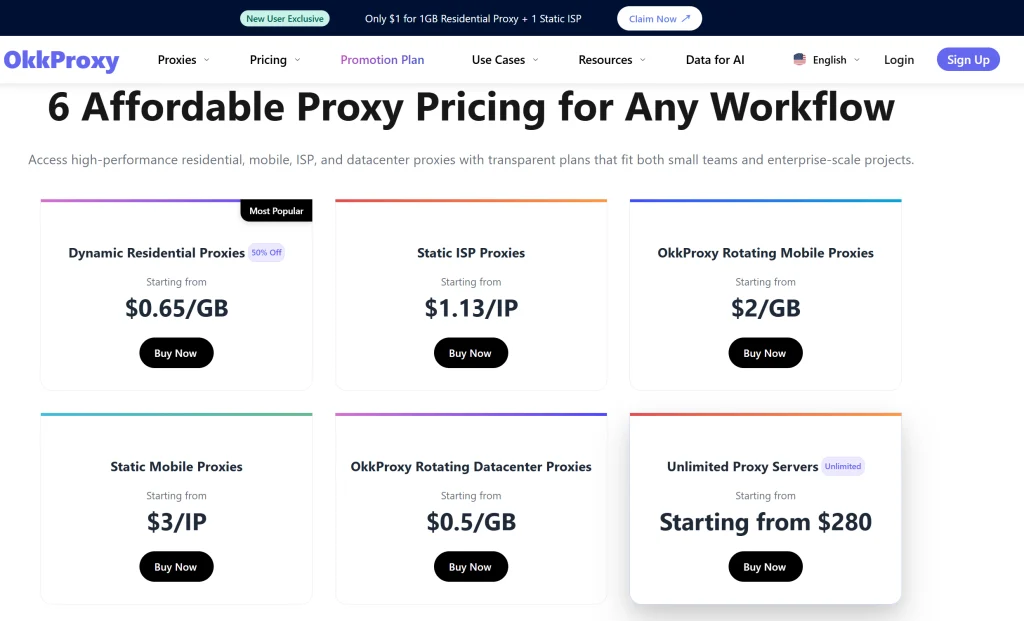
- Rotating Residential Proxies: Best for the initial login and searching phase. If one IP is slow, the system rotates you to a faster one.
- Static ISP Proxies: Ideal for the “Book” button and Payment phase. You need a stable, unchanging IP so the bank doesn’t flag your transaction as fraudulent.
- Rotating Mobile Proxies: These provide the highest “trust score” because mobile IPs in India are shared by thousands of legitimate users.
- Static Mobile Proxies: Perfect for 5G-level speeds during the critical 10:00 AM window.
Internal Knowledge Base:
- Top 10 Rotating Residential Proxies Tips: Ultimate 2026 Guide
- 2026 Web Automation: Residential Proxies and AI CAPTCHA Solvers Unleashed
- The Ultimate Guide to Running Discord Scrapers Without Getting Banned
- 5 Reasons Why Static ISP Proxies Are the Secret Weapon for Professional Resellers
- How to Use Mobile Proxies to Cop Limited-Edition Sneakers Successfully?
How to Book Tatkal Ticket in IRCTC App Fast
The mobile app is often more stable than the web version because it uses API-based communication which is less resource-heavy. To succeed on the app:
- How to enable autopay in IRCTC? Navigate to the payment section and link your UPI ID or use the IRCTC eWallet. Autopay ensures that as soon as you enter your PIN, the ticket is issued.
- Automatic Tatkal ticket booking app: Use third-party apps like “ConfirmTkt” that offer a “One-tap” booking feature.
- Network Speed: Do not rely on public Wi-Fi. Use static mobile proxies to ensure your app connection is prioritized.
Detailed FAQ: Mastering the IRCTC Ecosystem
Does IRCTC auto upgrade work?
Yes, but only if there are vacant seats in higher classes after chart preparation. It doesn’t help you get a “Confirmed” ticket during the Tatkal rush; it only improves your comfort after you have already secured a seat.
How to book Tatkal ticket on IRCTC website efficiently?
The most efficient way is to use a combination of the IRCTC Master List and an automatic Tatkal ticket booking extension. Log in 10 minutes early, but don’t stay idle, or your session will expire.
Can we automate IRCTC ticket booking legally?
Automation for personal use is a grey area. However, using tools that simply “autofill” forms is generally accepted as it doesn’t bypass security—it just speeds up your typing. Avoid tools that claim to bypass CAPTCHAs entirely, as these can lead to account bans.
Tatkal Ticket Booking IRCTC Timing
- AC Classes (1A, 2A, 3A, CC, EC, 3E): 10:00 AM.
- Non-AC Classes (SL, 2S): 11:00 AM.
- Note: Always log in at least 5-10 minutes prior.
Verified Methodology: The 2026 Success Checklist
Based on our project experience at OkkProxy helping users optimize their web scraping and automation tasks, follow this 11:00 AM (or 10:00 AM) ritual:
- Check IP Location: Ensure your static ISP proxy is set to an Indian city like Mumbai or Delhi to reduce latency to IRCTC servers.
- Verify Master List: Ensure all passenger names are “Verified” in your IRCTC profile.
- Check Wallet Balance: If using IRCTC eWallet, ensure you have at least ₹2000+ more than the ticket cost.
- Sync Time: Use an atomic clock. The window opens exactly when the server time hits the mark.
- Don’t Refresh: Once you click “Book Now,” let the automation script handle the “Processing” state. Refreshing will kill your session.
The OkkProxy Advantage
We provide rotating datacenter proxies for those who need to scrape train availability data and static mobile proxies for those who need to finalize bookings with zero latency. Our infrastructure is optimized for Indian railway servers, providing the “unfair advantage” needed to beat the rush.
Final Takeaway on How to Automate IRCTC Ticket Booking
In 2026, the question isn’t just about speed; it’s about reliability. By integrating an IRCTC Tatkal automation tool with a high-quality proxy service like OkkProxy, you eliminate the two biggest points of failure: human error and network throttling.
Whether you are using a Python-based Selenium script or a simple Chrome extension, remember that your IP address is your digital identity. Using rotating residential proxies or static ISP proxies ensures that IRCTC sees you as a high-priority, legitimate traveler.
Stop losing tickets to the “Loading” screen.
Get started with OkkProxy now and secure your next journey with the power of professional-grade automation.
Quick Recap Table
| Feature | Benefit | Recommended Proxy |
| Autofill | Faster data entry | Static ISP Proxy |
| Selenium | Full workflow automation | Rotating Mobile Proxy |
| iPay/Autopay | Instant transaction | Static Mobile Proxy |
| OkkProxy | Prevents IP Bans | All of the above |