Summary:
As of April 2026, Bright Data has officially sunset its mobile proxy services for new customers. This shift has left many digital marketers and data analysts searching for the best mobile proxy alternative that balances cost and performance.
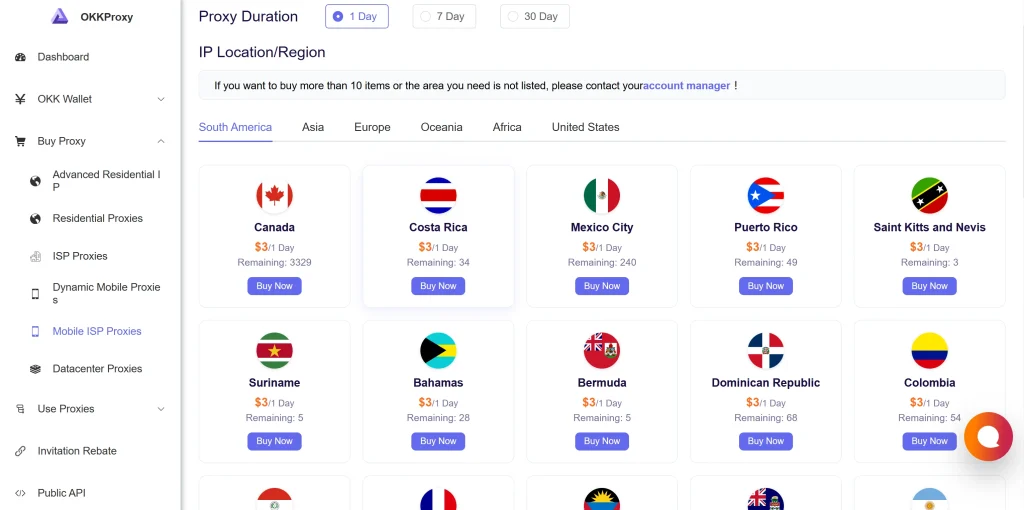
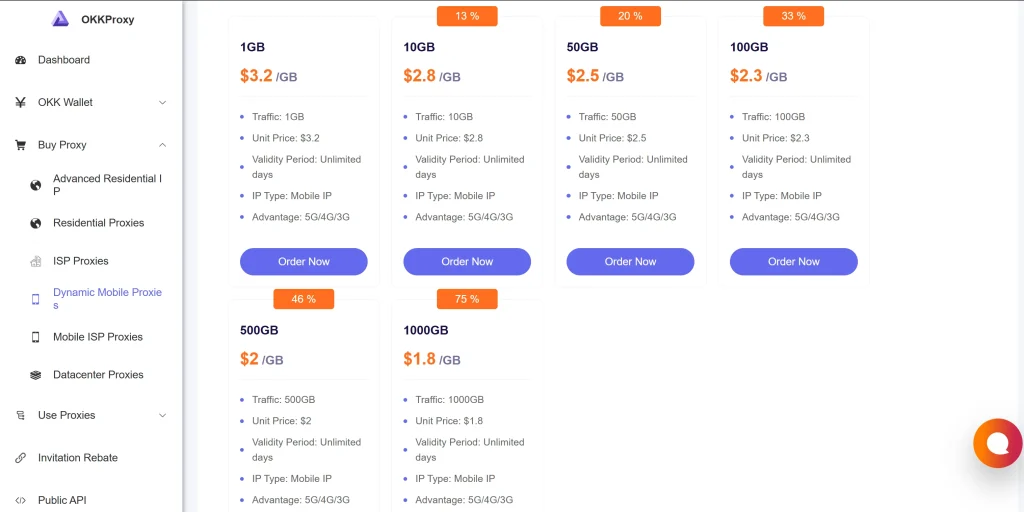
OkkProxy has stepped up as the industry leader, offering high-velocity rotating mobile proxies and ultra-stable static mobile proxies starting at just $1.5/GB. This review explores why OkkProxy is the ultimate solution for those requiring undetectable mobile carrier IPs.
The 2026 Proxy Shift: Why Bright Data Dropped Mobile Proxies
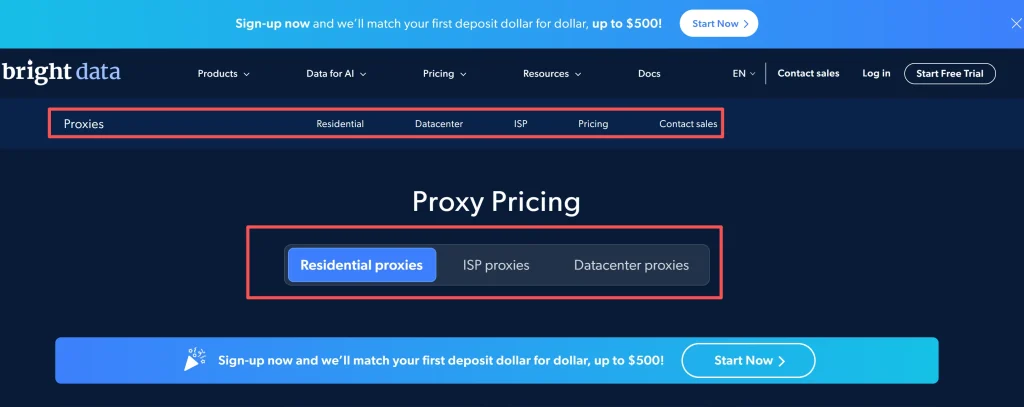
In a move that surprised the SEO and scraping community, Bright Data (formerly Luminati) quietly removed its mobile proxy landing pages and updated its Acceptable Use Policy (AUP). As of April 2026, new users can no longer access their mobile IP pools.
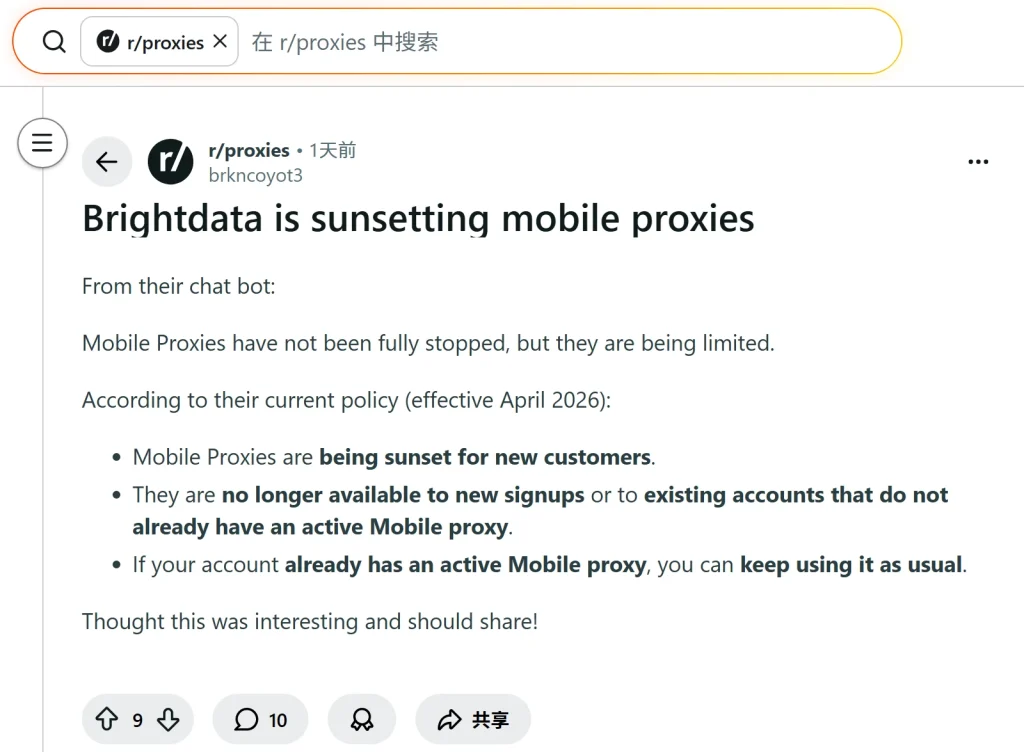
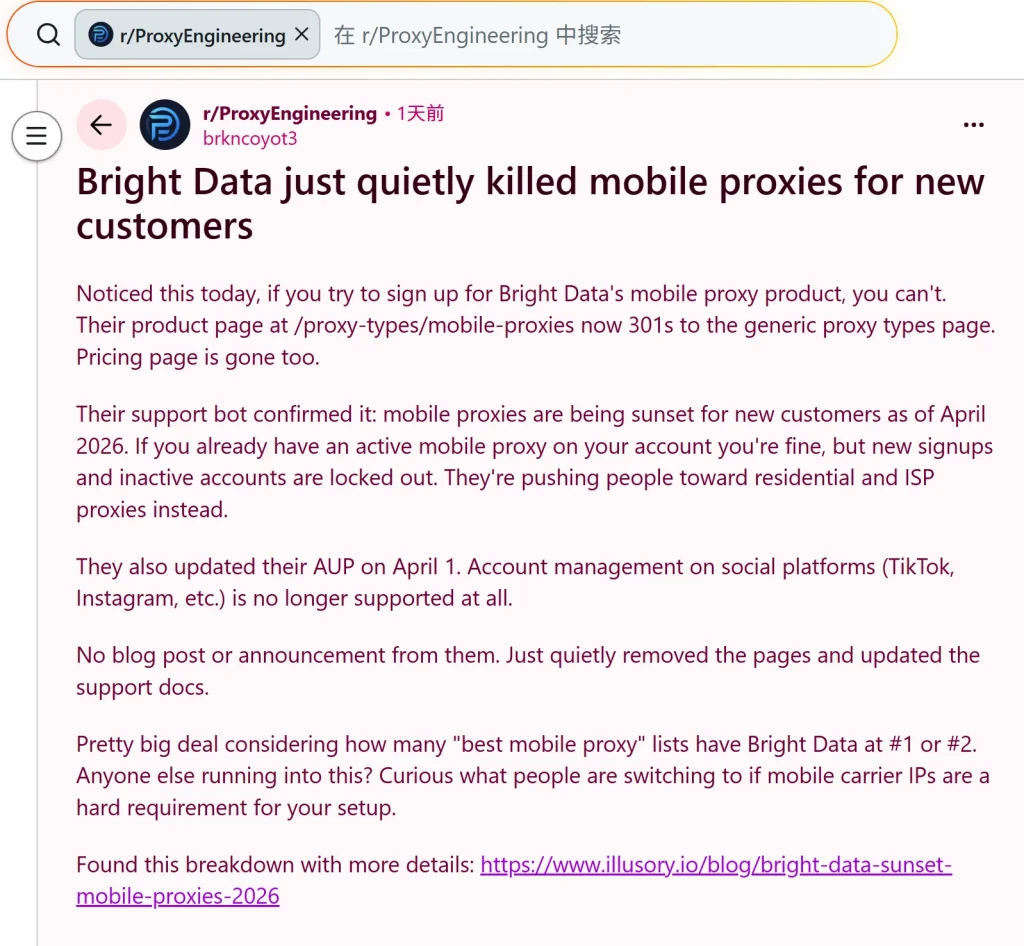
Based on my deep dive into their updated documentation, Bright Data is pivoting toward residential and ISP-based solutions, effectively banning social media account management (TikTok, Instagram, etc.) from their platform. For professionals who require the specific digital footprint of a cellular network, finding the best mobile proxy provider is no longer optional—it is a necessity for business continuity.
The Verification: It’s Official
We have verified through Bright Data’s support bots and sales channels:
- New Customers: Blocked from purchasing mobile proxies.
- Existing Customers: Grandfathered in for now, but with limited support.
- AUP Changes: Strict prohibition on social media automation.
What is the Best Mobile Proxy Alternative? (OkkProxy Review)
When a giant like Bright Data exits a niche, it creates a vacuum. OkkProxy has filled this space by investing heavily in global 4G, LTE, and 5G infrastructure. Unlike many competitors who use “simulated” mobile IPs, OkkProxy utilizes physical SIM cards and real mobile carrier networks.
Why OkkProxy Stands Out
OkkProxy isn’t just a replacement; for many, it’s an upgrade. Whether you need a static mobile proxy for long-term account management or rotating mobile proxies for heavy-duty scraping, the platform is designed for high-concurrency and high-anonymity tasks.
Key Products Offered:
- Rotating Residential Proxies: Perfect for global SEO monitoring.
- Static ISP Proxies: Combining datacenter speed with residential trust.
- Rotating Mobile Proxies: High-frequency IP changes for scraping.
- Static Mobile Proxies: Persistent IPs for social media management.
- Rotating Datacenter Proxies: The most cost-effective solution for basic tasks.
Comparing the Best Mobile Proxy Providers: OkkProxy vs. The Market
In the current landscape, price and stability are the two most critical factors. Let’s look at how OkkProxy compares to the previous industry standard.
| Feature | OkkProxy (Current) | Bright Data (Legacy) |
| Rotating Mobile Price | From $1.5/GB | ~$30.00/GB |
| Static Mobile Price | From $3/IP | N/A (Rarely Offered) |
| 5G/4G LTE Coverage | Global (US, UK, DE, etc.) | Global |
| Social Media Support | Fully Supported | Officially Prohibited |
| Dashboard Ease of Use | High (Beginner Friendly) | Low (Developer Focused) |
Deep Dive: Why You Need 4G LTE Mobile Proxies
A mobile proxy works by routing your traffic through a mobile gateway. To the target server, you appear as a real user on a smartphone. This is the best mobile proxy strategy because of a technology called CGNAT (Carrier Grade NAT).
The Power of CGNAT
Because mobile carriers assign the same public IP to thousands of real users, websites like Instagram or Google cannot block a mobile ip proxy without accidentally blocking thousands of legitimate customers. This makes 4g lte mobile proxies virtually “un-bannable” compared to datacenter or even standard residential IPs.
Static vs. Rotating: Which Should You Choose?
- Static Mobile Proxies (Persistent Mobile IP): Use these if you are managing high-value assets. If you are looking to buy mobile proxies for a TikTok agency, a long-session mobile proxy ensures you don’t trigger “suspicious login” alerts.
- Rotating Mobile Proxies: Use these for data collection. Every request or set time interval triggers a new mobile rotating proxy IP, allowing you to bypass rate limits effortlessly.
How to Use the OkkProxy Dashboard
One of the standout features of OkkProxy is its user-friendly interface. While other providers require complex API knowledge, OkkProxy allows you to get started in minutes.
Step-by-Step Setup:
- Select Your Plan: Navigate to the Rotating Mobile Pricing or Static Mobile Pricing page.
- Choose Location: Pick from mobile proxy usa, UK, Canada, or other top-tier regions.
- Authentication: Choose between User:Pass or IP Whitelisting.
- Integration: Use the generated endpoints in your browser, bot, or custom script.
Checklist: What to Look for When You Buy Mobile Proxies
Before committing to a provider, use this checklist to ensure you are getting the best mobile proxy quality:
- Real Carrier IPs: Are the IPs from T-Mobile, AT&T, or Vodafone?
- No Data Throttling: Does the provider offer full 4G/5G speeds?
- Protocol Support: Does it support both HTTP and mobile socks5 proxy?
- Uptime Guarantee: Is there a documented 99.9% uptime?
- Customer Support: Is there a live chat for troubleshooting?
Use Cases: How Our Clients Use OkkProxy
To provide a clear picture of how to apply these tools, here are real-world examples from our user base:
1. Social Media Management (Instagram/TikTok)
Many clients use our static mobile 4g proxy to manage 10+ accounts per proxy. Because these are sticky mobile proxies, the accounts stay logged in without verification loops.
Result: 90% reduction in account bans compared to using datacenter IPs.
2. High-Accuracy SERP Tracking
SEO agencies use rotating mobile proxies to see exactly what users see on their phones. Since mobile search results often differ from desktop, this is vital for local SEO.
Expert Insight: “Using a mobile proxy server is the only way to audit mobile-first indexing accurately.” — SEO Industry Expert.
Technical Guide: How to Set Proxy on Mobile Devices
Many users ask how to use proxy on mobile data. Whether you are using Android or iOS, the process is straightforward with OkkProxy.
Android Proxy Settings Mobile Network
- Go to Settings > WiFi.
- Long-press your network name and select Modify Network.
- Change Proxy to Manual.
- Enter the online mobile proxy host and port provided by the OkkProxy dashboard.
How to Set Proxy in Chrome Mobile
For browser-level protection, we recommend using a proxy manager extension or the built-in Android system settings which Chrome will automatically adopt. If you are wondering how to change proxy settings in chrome mobile, the most reliable way is through the OS-level “Access Point Name” (APN) settings for mobile data.
FAQ: Everything You Need to Know About Mobile Proxies
What is the difference between residential and mobile proxies?
A mobile proxy vs residential proxy debate usually comes down to trust levels. Residential proxies use home WiFi (ISP), while mobile proxies use cellular towers (4G/5G). Mobile IPs are the most trusted by anti-bot systems.
Is there a free mobile proxy server?
Searching for a free mobile proxy is risky. These are often honeypots for data theft or are so slow they are unusable. It is always better to buy mobile proxy access from a secure provider.
Why is OkkProxy considered the best mobile proxy?
OkkProxy combines a massive pool of 5g mobile proxies with an incredibly low entry price ($4.5/GB), making it accessible for both small freelancers and large enterprises.
Final Takeaway:
Bright Data’s exit from the mobile market isn’t a hurdle—it’s an opportunity to switch to a provider that is actually built for your needs. OkkProxy offers the best mobile proxy infrastructure with a focus on social media compatibility, scraping performance, and price transparency.
Stop worrying about Bright Data’s sunset and start scaling with OkkProxy.
Internal Resources for Further Learning:
- How to use mobile proxy on Android?
- Static Mobile Proxies: 9 Powerful Benefits in 2026
- Ultimate 10 Tips for Rotating Mobile Proxies in 2026
- How to Use Mobile Proxies to Cop Limited-Edition Sneakers Successfully?
- From Beginner to Expert: Complete Guide to Clash Proxies: Find, Configure, Optimize & Troubleshoot
- How IP Rotation Improves Success Rates in Mobile Automation Tasks?
Ready to upgrade? Try OkkProxy Now and experience the industry’s most user-friendly dashboard and high-performance mobile proxy service.