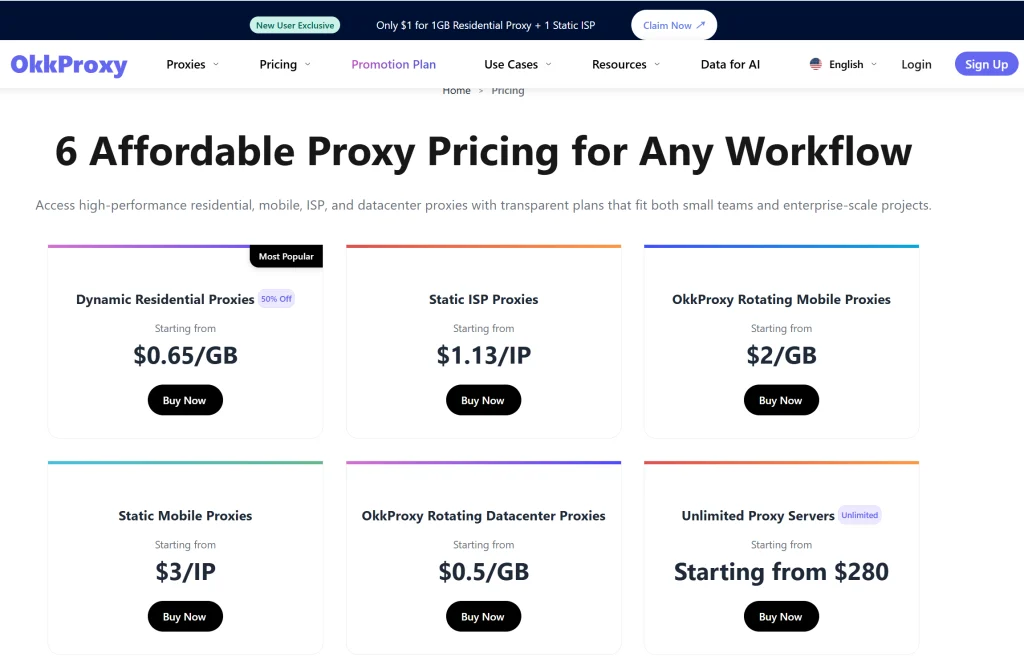
Quick Summary
Error 1015 (“You are being rate limited”) is a temporary block triggered by Cloudflare when an IP address sends too many requests in a short window. For digital marketers and data analysts, this is a major roadblock. The most effective Error 1015 how to fix strategy involves migrating from vulnerable data center IPs to high-trust rotating residential proxies or mobile proxies.
By diversifying your IP footprint and mimicking human behavior, you can eliminate downtime and ensure 99.9% uptime for your automated tasks.
What is Error 1015 and Why Does It Happen?
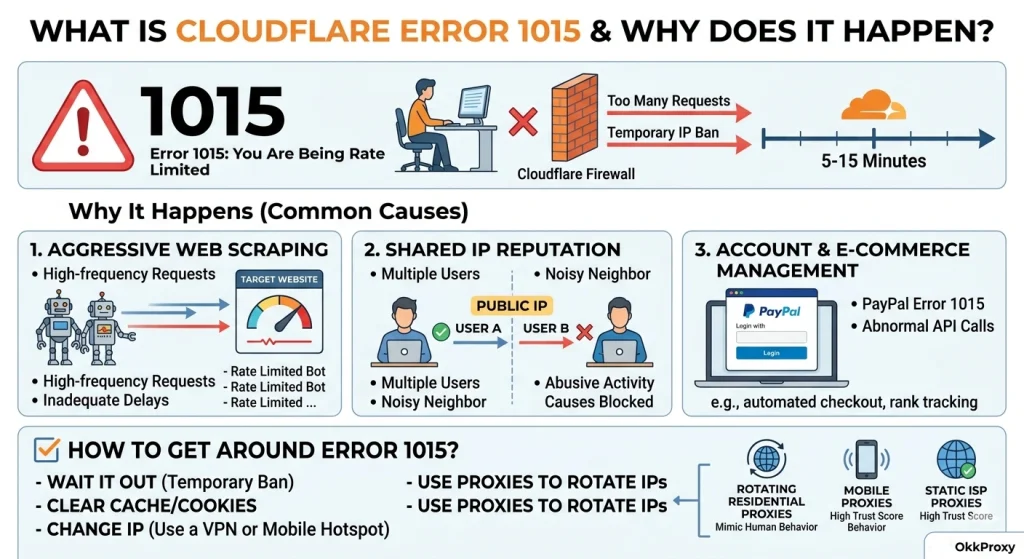
If you are seeing the message “Error 1015: You are being rate limited,” you have hit a digital wall. Cloudflare, one of the world’s largest Content Delivery Networks (CDNs), uses this error to protect websites from what it perceives as “abusive behavior.”
Essentially, the target server has a set “rate limit”—a maximum number of requests allowed from a single IP address per minute. When you exceed this, Cloudflare drops your connection to prevent potential DDoS attacks or aggressive scraping.
Common Triggers for Error 1015
- Aggressive Web Scraping: Sending hundreds of requests per second without proper delays.
- PayPal Error 1015: Often occurs during high-frequency API calls or automated checkout attempts.
- Shared IP Reputation: If you are using a low-quality VPN or a shared proxy, someone else’s heavy usage can get your IP banned.
- Browser Extensions: Automated “auto-refresh” or “deal-finding” plugins can trigger limits.
Error 1015 How to Fix: A Guide for Casual Visitors
Before diving into professional-grade proxy solutions, it is worth checking if the issue is a simple local glitch. If you are an individual user encountering Error 1015 for no reason, try these steps:
- Wait it out: How long does Cloudflare error 1015 last? Usually, the ban is temporary, lasting between 15 minutes and one hour.
- Clear Browser Cache and Cookies: Sometimes, a corrupted session cookie keeps triggering the rate limit logic.
- Reset Your Router: If you have a dynamic IP from your ISP, restarting your router may assign you a fresh, clean IP.
- Disable VPNs: Many free VPNs use “dirty” IP ranges already flagged by Cloudflare.
The Professional Solution: How to Get Around Error 1015?
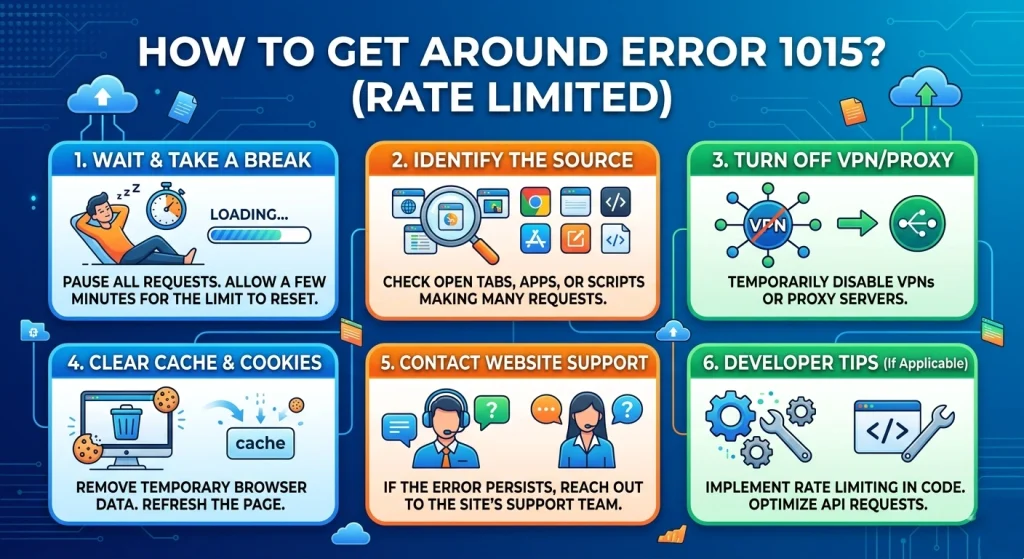
For businesses conducting SEO monitoring, ad verification, or market research, “waiting 15 minutes” is not an option. You need a scalable way to bypass these limits. Here is the definitive methodology for how do I fix error code 1015 at scale.
1. Leverage Rotating Residential Proxies
This is the gold standard for bypassing Cloudflare. OkkProxy’s rotating residential proxies use IP addresses assigned by real ISPs to homeowners.
- Why it works: Cloudflare’s security algorithms are hesitant to block residential IPs because they represent real potential customers.
- The OkkProxy Advantage: Our system automatically rotates your IP for every request or session. Even if one IP hits a limit, the next request uses a completely different identity.
2. Utilize Mobile Proxies (4G/5G)
Mobile IPs are almost “bulletproof” against Error 1015. Because thousands of mobile users often share the same gateway IP (CGNAT), Cloudflare rarely applies strict rate limits to them for fear of blocking thousands of legitimate users.
- Rotating Mobile Proxies: Best for high-frequency scraping.
- Static Mobile Proxies: Ideal for social media account management where you need a consistent, high-trust identity.
3. Implement Static ISP Proxies for Account Stability
If you are managing payment gateways or e-commerce accounts and encounter PayPal error 1015, you need stability. Static ISP proxies offer the speed of a data center but the “identity” of a residential user. This allows you to stay on the same IP for long durations without triggering “suspicious activity” flags.
Comparison of Proxy Types for Bypassing Rate Limits
| Proxy Type | Trust Level | Best Use Case | Effectiveness against Error 1015 |
| Rotating Residential | High | Web Scraping, SEO Monitoring | 5-star |
| Rotating Mobile | Highest | Ad Verification, Social Media | 5-star |
| Static ISP | High | Account Management, PayPal | 4-star |
| Rotating Datacenter | Medium | Low-security sites, Bulk tasks | 3-star |
Pro Tip: If you are dealing with highly sophisticated anti-bot systems, combining residential proxies with fingerprint masking is the most reliable path forward.
Deep Dive: How to Get Around Error 1015 with Code Optimization
Finding the right Error 1015 how to fix strategy isn’t just about the IP—it’s about how you use it. Based on our experience helping thousands of data analysts, here is the “Professional Scraper’s Checklist.”
The “Stealth” Checklist:
- Randomize Request Delays: Never send requests at exact intervals (e.g., every 1.0 seconds). Use a “jitter” (e.g., between 1.2 and 3.5 seconds).
- Rotate User-Agents: Ensure your User-Agent string matches the device type of your proxy (e.g., use mobile User-Agents with static mobile proxies).
- Manage Headers: Cloudflare looks for missing Accept-Language or Referer headers.
- Geographic Consistency: If you are scraping a UK-based site, use UK-specific residential proxies to avoid “impossible travel” flags.
Why Is Error 1015 Still Happening? (Real-World Troubleshooting)
Sometimes, users ask: “I am using proxies, so why am I still being rate limited?” This usually happens due to IP Leakage or Incomplete Rotation. If your scraping script isn’t correctly configured to switch IPs upon receiving a 429 (Rate Limit) or 1015 error, you will keep hitting the same blocked IP.
Is error 1015 permanent? No. However, if you continue to hammer a site with a blocked IP, Cloudflare may escalate the ban to a 403 Forbidden or even a permanent IP reputation blacklisting. This is why using rotating datacenter proxies for high-security sites is risky; once the subnet is flagged, the entire range becomes useless.
Case Study: Smashing Error 1015 for a Global E-commerce Aggregator
A client of OkkProxy was attempting to monitor competitor pricing across 50+ regions. They were using standard datacenter IPs and seeing error 1015 you are being rate limited on 60% of their requests.
The Strategy:
- We migrated their core scraping engine to OkkProxy Rotating Residential Proxies.
- We implemented a “Circuit Breaker” logic: if a 1015 error was detected, the system would instantly rotate to a new IP and add a 2-second delay to that specific thread.
- For their login-sensitive tasks, we assigned Static ISP Proxies to maintain session persistence.
The Result:
Their success rate jumped from 40% to 99.4%, and their data collection speed increased by 4x because they no longer had to wait for “cool-down” periods.
Frequently Asked Questions (FAQ)
How long does Cloudflare error 1015 last?
The duration depends on the website’s specific configuration. Most “soft” blocks last 15 minutes. However, “hard” blocks triggered by repeated violations can last 24 hours.
Can I fix Error 1015 for no reason?
Usually, “no reason” means your IP is part of a shared pool that has been abused. Switching to a dedicated static ISP proxy ensures that you are the only one using that IP, eliminating “noisy neighbor” issues.
Is Error 1015 the same as a permanent ban?
No, it is a rate-limiting throttle. It is the server’s way of saying, “Slow down,” whereas a 403 Forbidden usually means “You are not allowed here at all.”
Which proxy is best for Error 1015 how to fix?
For high-volume tasks, rotating residential proxies are the best because they provide a fresh, high-trust identity for every single request.
Key Takeaways for Breaking the Rate Limit
- Diversify your IPs: Never rely on a single IP for automated tasks.
- Prioritize Quality: Residential and Mobile IPs have higher success rates than datacenter IPs.
- Monitor Performance: Use tools to track how many 1015 errors you receive and adjust your rotation speed accordingly.
- Trust the Experts: Using a reliable provider like OkkProxy gives you access to a global pool of millions of clean IPs.
Ready to eliminate Error 1015 from your workflow? Explore OkkProxy’s Residential Proxy Plans and start scraping with confidence today.